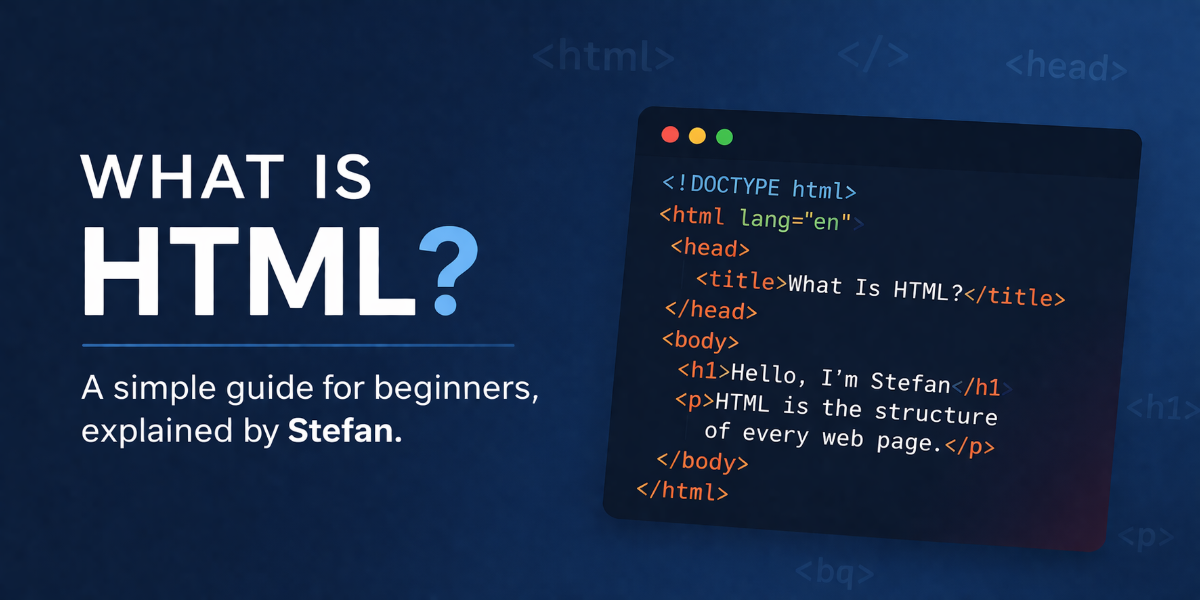
What Is HTML?
When people first start learning about websites, one of the first things they hear is HTML. If you are new to web design or website building, that word might sound technical at first. The truth is, HTML is one of the easiest places to begin.
From my point of view, HTML is the foundation of every web page. It gives structure to the content on a website. It tells the browser what is a heading, what is a paragraph, what is an image, what is a link and what should appear on the page.
If I had to explain it in a very simple way, I would say this:
HTML is the skeleton of a web page.
Without HTML, a page would not have a proper structure. You would not know where the title goes, where the text begins or where the images and buttons belong.
In this guide, I want to explain HTML in a natural and easy way, especially for beginners. I will show examples, simple code, clear explanations and a few exercises so you can start understanding it properly.
What Does HTML Mean?
HTML stands for HyperText Markup Language.
Let me break that down in a simple way:
- HyperText means text that can link to other pages or resources
- Markup means using tags to define parts of content
- Language means it follows a set of rules the browser understands
So HTML is not a programming language in the same way as JavaScript or Python. HTML does not make decisions or run logic by itself. Instead, it marks up content so the browser knows how to display it.
For example, if I want to tell the browser that a line of text is a main heading, I use an HTML heading tag. If I want to add a paragraph, I use a paragraph tag. If I want to insert an image, I use an image tag.
Why HTML Matters
HTML matters because it is used on almost every website you visit.
Whether you are reading a blog, checking a product page, looking at an online portfolio or opening a landing page, HTML is there in the background helping shape the page.
Here is why HTML is so important:
- It gives structure to content
- It helps browsers display pages properly
- It supports SEO when used correctly
- It improves accessibility
- It works together with CSS and JavaScript
- It is one of the core building blocks of web development
If you want to build websites, edit pages, use WordPress more effectively or understand how web content is created, HTML is something worth learning.
HTML, CSS and JavaScript
A lot of beginners see these three together, so I want to explain them simply.
HTML
HTML creates the structure of the page.
CSS
CSS controls the style and appearance of the page.
JavaScript
JavaScript adds interactivity and behaviour to the page.
I often think of it like this:
- HTML is the structure
- CSS is the design
- JavaScript is the action
For example:
- HTML creates a button
- CSS changes its colour, size and position
- JavaScript makes it respond when someone clicks it
A Very Simple HTML Example
Here is a basic HTML page:
- <!DOCTYPE html>
- <html>
- <head>
- <title>My First Web Page</title>
- </head>
- <body>
- <h1>Hello, I am Stefan</h1>
- <p>This is my first HTML page.</p>
- </body>
- </html>
Let me explain what each part does.
<!DOCTYPE html>
This tells the browser that the document is an HTML5 page.
<html>
This is the root element of the page. Everything else sits inside it.
<head>
This contains information about the page, such as the title shown in the browser tab.
<title>
This sets the page title.
<body>
This contains the visible content of the page.
<h1>
This is the main heading.
<p>
This is a paragraph.
Even with just these few lines, you already have the start of a real web page.
What Are HTML Tags?
HTML uses tags to mark content.
Tags usually look like this:
- <p>This is a paragraph.</p>
In that example:
<p>is the opening tag</p>is the closing tag- The text sits in between
Most HTML elements work this way.
Here are a few common HTML tags:
<h1>to<h6>for headings<p>for paragraphs<a>for links<img>for images<ul>and<li>for lists<div>for sections or containers<button>for buttons
Some tags do not need a closing tag in the same way, such as an image:
- <img src="photo.jpg" alt="A mountain view">
Common HTML Elements Beginners Should Know
If you are just starting, these are some of the most useful elements to learn first.
Headings
- <h1>Main Title</h1>
- <h2>Subheading</h2>
- <h3>Smaller Section Title</h3>
Use headings to organise content clearly. A page should usually have one main <h1>.
Paragraphs
- <p>This is a paragraph of text.</p>
Paragraphs are used for normal written content.
Links
- <a href="https://example.com">Visit this website</a>
Links allow users to go to another page or website.
Images
- <img src="image.jpg" alt="A description of the image">
The alt text is important for accessibility and SEO.
Lists
- <ul>
- <li>HTML</li>
- <li>CSS</li>
- <li>JavaScript</li>
- </ul>
This creates an unordered list with bullet points.
Buttons
- <button>Click Me</button>
Buttons can be styled and later made interactive with JavaScript.
A More Realistic HTML Example
Here is a simple example of a small page section:
- <!DOCTYPE html>
- <html>
- <head>
- <title>About Stefan</title>
- </head>
- <body>
- <h1>Welcome to My Website</h1>
- <p>Hello, I am Stefan. I build websites, apps and digital products.</p>
- <h2>What I Do</h2>
- <ul>
- <li>Web design</li>
- <li>App development</li>
- <li>Digital product creation</li>
- </ul>
- <p>You can visit my portfolio here:</p>
- <a href="https://readyht.com">ReadyHT</a>
- </body>
- </html>
This example includes a title, headings, paragraphs, a list and a link. That is already enough to create a basic personal page.
Why Good HTML Helps SEO
If you want your blog post or website to be indexed by Google, good HTML structure matters.
Search engines read the content and structure of your page. Well organised HTML helps search engines understand what your page is about.
Here are a few ways HTML supports SEO:
- Proper heading structure helps search engines understand page hierarchy
- Clear page titles improve relevance
- Alt text on images gives extra context
- Links help connect related content
- Clean markup can improve crawling and indexing
For example, using a proper <h1> for your main title and <h2> for subheadings makes the content easier to read for both people and search engines.
This is one reason I always say that learning HTML is useful even if you are using website builders or content management systems. It helps you understand what is happening behind the scenes.
Basic HTML Structure You Should Remember
A normal HTML page often follows this structure:
- <!DOCTYPE html>
- <html>
- <head>
- <meta charset="UTF-8">
- <meta name="description" content="A beginner guide to HTML">
- <meta name="viewport" content="width=device-width, initial-scale=1.0">
- <title>What Is HTML?</title>
- </head>
- <body>
- <h1>What Is HTML?</h1>
- <p>HTML is the foundation of web pages.</p>
- </body>
- </html>
A few useful things here:
meta charset="UTF-8"helps display characters correctlymeta name="description"gives search engines a summarymeta name="viewport"helps the page work better on mobile devices
These small details matter more than many beginners realise.
HTML Is Not About Making Things Pretty
This is an important point.
HTML is mainly about structure, not visual beauty.
If you want colours, spacing, fonts and layouts, that is where CSS comes in. If you want animations or interactions, JavaScript usually helps with that.
So if you build a page in pure HTML and it looks very plain, that is normal. HTML is doing its job by creating the layout and content structure first.
Simple HTML Exercise for Beginners
If you want to practise, try this.
Exercise 1: Build a Basic Introduction Page
Create a page with:
- One main heading
- Two paragraphs
- One image
- One link
- One bullet point list with three items
Example starter code:
- <!DOCTYPE html>
- <html>
- <head>
- <title>My Introduction Page</title>
- </head>
- <body>
- <h1>Hello, I am Stefan</h1>
- <p>I am learning HTML.</p>
- <p>I want to build better websites.</p>
- <img src="myphoto.jpg" alt="A photo of me">
- <p>Visit my website:</p>
- <a href="https://example.com">My Website</a>
- <ul>
- <li>I like design</li>
- <li>I like coding</li>
- <li>I like building projects</li>
- </ul>
- </body>
- </html>
Try writing your own version from scratch instead of only copying.
Exercise 2: Create a Blog Article Layout
Try building a simple blog page with:
- A page title
- A main heading
- Three subheadings
- A few paragraphs under each section
This will help you practise:
<title><h1><h2><p>
That is a very good starting point for anyone who wants to write content online.
Common Beginner Mistakes in HTML
When people first start, these are some common mistakes:
Forgetting closing tags
Example:
- <p>This is a paragraph
Better:
- <p>This is a paragraph</p>
Using headings in the wrong order
Try to keep a logical structure:
<h1>for the main title<h2>for major sections<h3>for smaller sections under those
Missing alt text on images
Always try to describe the image:
- <img src="book.jpg" alt="A book on a wooden table">
Putting everything in one big block
Break content into headings, paragraphs and sections so it is easier to read.
Who Should Learn HTML?
In my opinion, HTML is useful for many people, not only full time developers.
You should learn at least the basics of HTML if you are:
- A beginner in web design
- A blogger
- A business owner with a website
- A freelancer
- A digital product creator
- Someone using WordPress or Elementor
- A student learning web development
- Anyone curious about how websites work
Even a small understanding of HTML can save you time and help you fix simple problems on your site.
Is HTML Hard to Learn?
No, not at the beginning.
That is one of the best things about HTML. You can start learning quickly and see results almost immediately.
You do not need advanced maths. You do not need years of experience. You just need patience, practice and the willingness to understand how tags and structure work.
The difficult part is usually not the first steps. The bigger challenge comes later when you combine HTML with CSS, JavaScript and responsive design. But HTML itself is a friendly place to begin.
My Honest View on HTML
From my point of view, HTML is one of the most valuable basics anyone can learn online.
It is simple enough for beginners but important enough to stay useful even when you become more experienced. I see it as a skill that gives you more control. Instead of depending fully on tools and builders, you start understanding what is happening underneath.
That matters.
When you understand HTML, websites stop feeling mysterious. You begin to see structure, logic and order in the way pages are built. You can edit with more confidence, create better content and improve the quality of your work.
Final Thoughts
HTML is the foundation of the web. It helps create the structure of every page, from simple blogs to large business websites.
If you are just starting out, HTML is a great first step. It is clear, practical and useful straight away. You can learn headings, paragraphs, images, links and lists in a short time, then slowly build your skills from there.
The best way to learn is to practise. Open a simple text editor, write a few lines of HTML and test them in your browser. Small steps matter.
I believe that once you understand HTML, the rest of web development starts making more sense.
So if you have been asking yourself what HTML is, the answer is simple:
HTML is the structure behind the web, and it is one of the best places to begin.





No comments yet. Be the first to comment!